Now available · Mac & Windows
Velocity
Browse at Peak Performance.
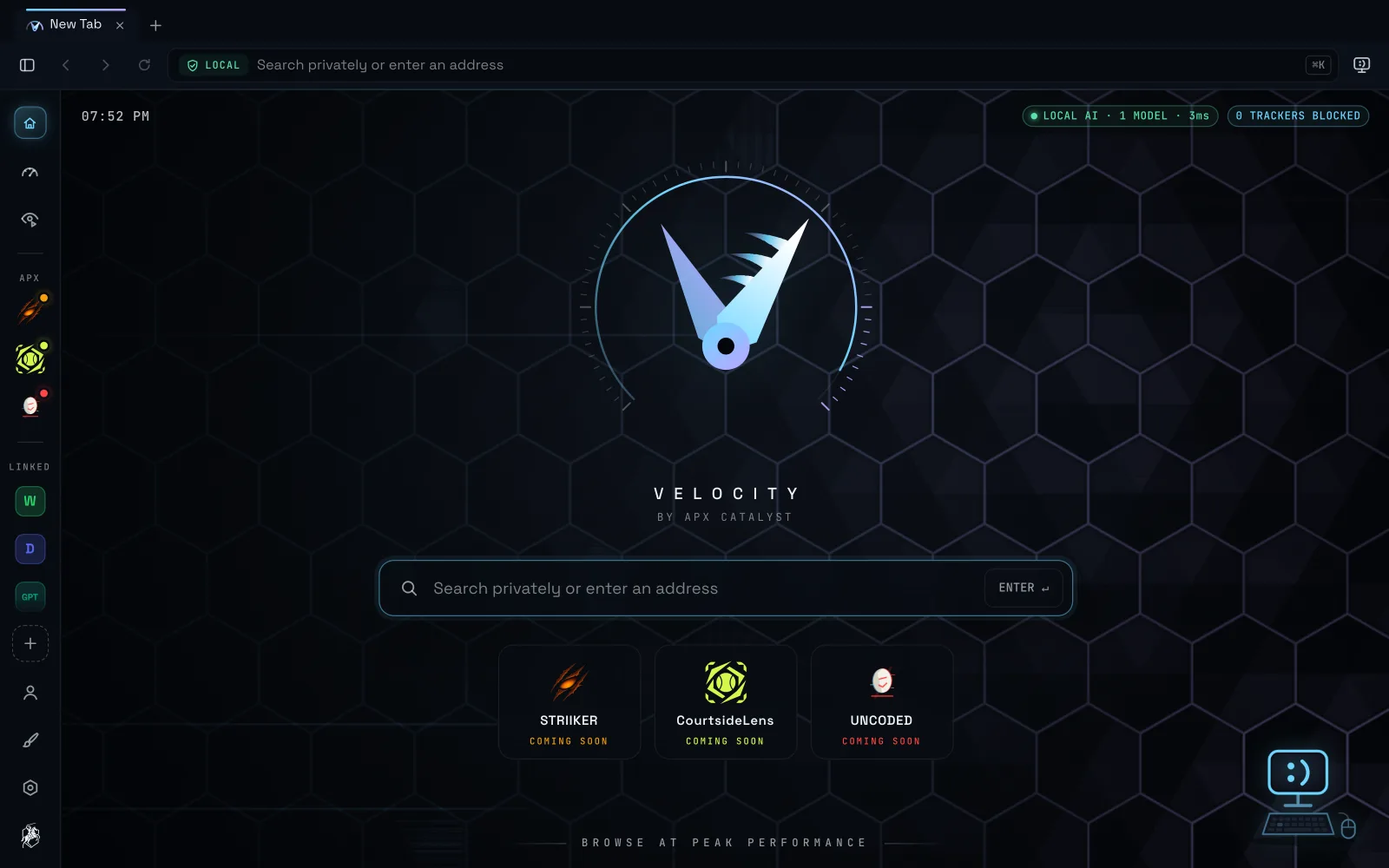
A privacy-first workspace browser by APX Catalyst, with Jeb: an AI that runs entirely on your computer.
Also available for Windows · System requirements
Also available for Mac · System requirements
Velocity is for Mac and Windows computers.
Not on your computer right now? Send yourself the link and download Velocity there.
- No telemetry
- No cloud
- No tracking
Install
From download to Jeb in three steps
A website can't install software on your computer, and this one doesn't try. The button downloads Velocity's installer. You open it once, and from there Velocity does the rest, Jeb included.
-
Open it and install
Open Velocity.dmg from your Downloads and drag Velocity into Applications. The same download works on Apple silicon and Intel Macs.
Open Velocity-Setup.exe from your Downloads and follow the installer. If your browser says the file isn't commonly downloaded, choose Keep.
-
Confirm it once
Velocity isn't code-signed by Apple or Microsoft yet, so the first time it opens, your computer asks you to confirm it. This happens once. After that, Velocity opens like any other app.
- macOS 14
- In Applications, right-click Velocity (or Control-click), choose Open, then Open again.
- macOS 15 or later
- Open Velocity once and close the message. Then go to System Settings → Privacy & Security, scroll down and click Open Anyway.
- Windows SmartScreen
- If you see “Windows protected your PC”, click More info, then Run anyway.
-
Velocity sets up Jeb by itself
The first time it opens, Velocity downloads Jeb's AI engine and model (about 2.7 GB on a Mac, 4.1 GB on Windows) right inside the browser, with a progress card. You can browse while it finishes. From then on, Jeb runs entirely on your computer.
Every installer comes from APX Catalyst's official Velocity releases on GitHub. After you install, Velocity keeps itself up to date with signed updates.
Meet Jeb
An AI that lives on your computer, not in the cloud
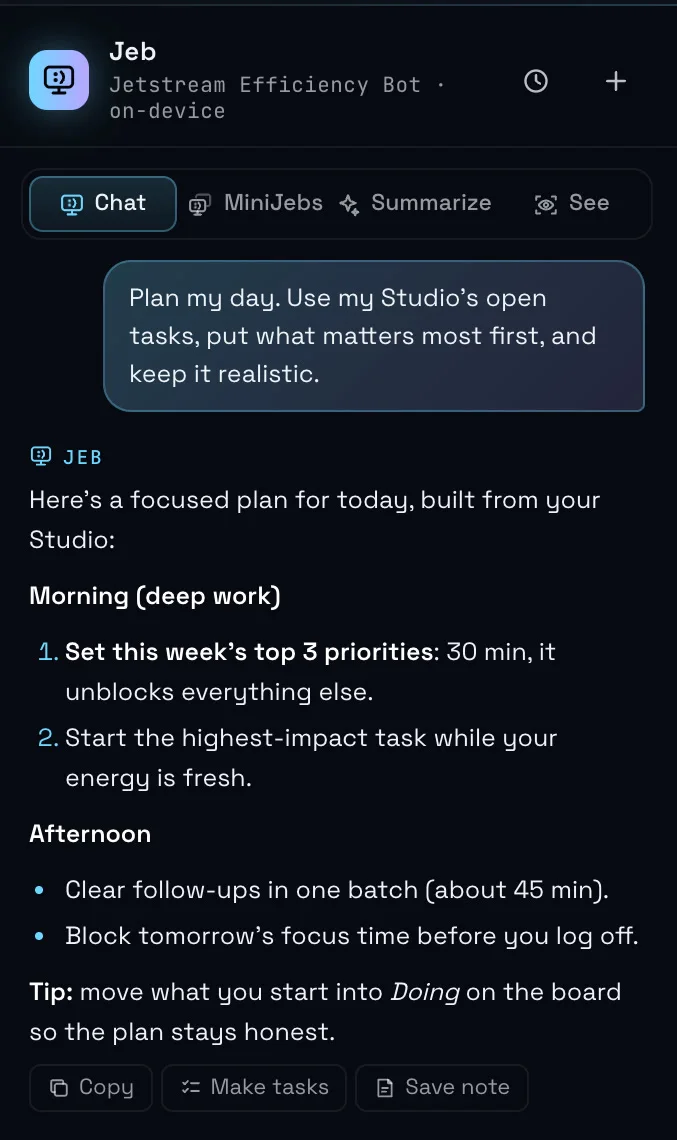
Jeb is Velocity's built-in AI. Ask about the page you're on, get a summary, or plan your day from your open tabs. Jeb thinks on your own computer, so what you ask never leaves it.
- On your computer, start to finish. No AI account, no cloud servers, nothing sent away. Once it's set up, Jeb's thinking happens right where you are.
- MiniJebs do the busywork. Hand a job to a MiniJeb, like turning your tabs into a polished doc or tidying them up, keep browsing, and it reports back when it's done.
- Jeb can customise Velocity for you. Ask for a new layout, theme or shortcut and Jeb makes the change, with Undo if you change your mind.
Features
Fast, focused, and private by default
Everything you'd expect from a modern browser, and a few things you wouldn't, without anything watching you.
-
Privacy-first, all the way down
No telemetry, no cloud, no tracking. Shield blocks trackers before a page even loads, and HTTPS-Only keeps your connections encrypted.
- Nothing sent home
- Trackers blocked before load
- HTTPS-Only
-
Privacy report card
See what Shield and HTTPS-Only did for you. It's counted on your computer and never sent anywhere.
-
SubStudios
Workspaces for each part of your life, each with its own tabs, so work, study and everything else stay apart.
-
Waypoints
Velocity's bookmarks. Save the places you return to, find them fast, or ask Jeb to open one for you.
-
Split view & picture-in-picture
Two pages side by side in one window, or a video that floats above your work while you browse.
-
Make it yours, or let Jeb do it
Change the layout, toolbar, look and keyboard shortcuts until Velocity feels like your own. Or just tell Jeb what you want and let it handle the settings.
-
Reader mode with Listen
Strip an article down to clean, calm text. Press Listen and Velocity reads it aloud.
Built in
Power tools
Velocity watches pages, repeats your routines and researches for you, all on your own computer.
- Page WatchersGet told when a price drops, a page changes, or the words you're waiting for appear.
- AutopilotShow Velocity a routine on a site once and let a MiniJeb repeat it. It always asks before anything that can't be undone.
- Deep ResearchA MiniJeb reads source after source and writes you a report with every source listed.
Requirements
What you need
Mac
- macOS 14 Sonoma or later
- Apple silicon or Intel: one universal download
Windows
- Windows 10 or Windows 11
- 64-bit
For Jeb
- Disk space: about 4 GB on a Mac, 7 GB on Windows
- 8 GB of memory (RAM) or more recommended
- An internet connection for the one-time setup
Questions
Good to know
Why does my computer warn me the first time?
Velocity isn't code-signed by Apple or Microsoft yet, so macOS and Windows can't vouch for it automatically and ask you to confirm instead. You do it once (step 2 above) and Velocity opens normally after that. Download Velocity only from this page or its official GitHub releases.
Does Jeb send what I ask anywhere?
No. Jeb runs on your own computer, so your questions, the pages it reads and your chats stay there. Velocity downloads Jeb's engine and model once, during setup, and that's it.
Do I have to set up Jeb myself?
No. The first time Velocity opens, it downloads everything Jeb needs (about 2.7 GB on a Mac, 4.1 GB on Windows) inside the browser and shows its progress. You can keep browsing while it finishes.
How do updates work?
Velocity checks for updates at most once a day, installs them in the background and asks you to restart when one is ready. Every update is signed, and Velocity checks the signature before anything installs.
Browse at Peak Performance.
Everything is built in. Jeb comes with it.